Course Syllabus
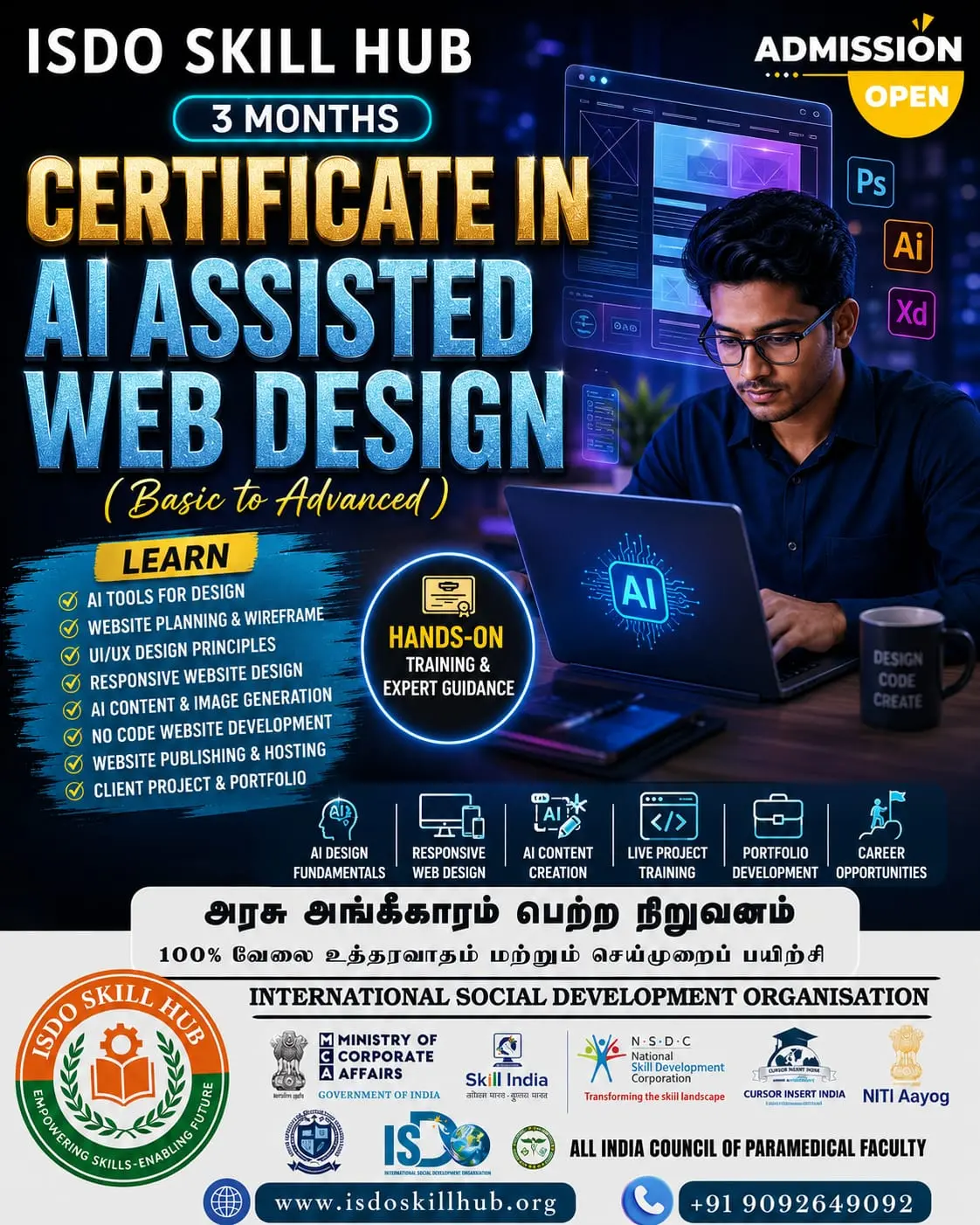
Certificate in Web Design with AI Tools
UNIT 1: Web Design Fundamentals & AI Tools
Theory
- Introduction to web design
- Role of AI in modern web design
- Website types and purposes
- Website structure and layout
- UI and UX fundamentals
- Responsive web design concepts
- Mobile-first design
- Introduction to AI design tools
- AI-assisted design workflow
- Introduction to prompt engineering for designers
- Using AI for design research
- Benefits and limitations of AI tools
- Copyright and responsible use of AI-generated assets
- Basic web accessibility principles
Practical
- Explore AI-powered web design tools
- Identify a website project idea
- Define target audience using AI assistance
- Generate website design ideas
- Create a sitemap
- Generate layout concepts using AI
- Create basic wireframes
- Plan website sections
- Develop a desktop and mobile layout concept
- Review and improve the AI-generated design
UNIT 2: UI Design, Colour, Typography & Branding
Theory
- Principles of visual design
- Layout and grid systems
- Visual hierarchy
- Alignment and spacing
- Colour theory
- Colour psychology for websites
- Creating website colour palettes
- Typography fundamentals
- Font pairing
- Web-safe and modern typography
- Images and visual elements
- Icons and illustrations
- Branding fundamentals
- Creating a consistent visual identity
- Accessibility in colour and typography
Practical
- Create a website colour palette using AI assistance
- Select suitable fonts
- Create typography hierarchy
- Design navigation bars
- Create hero sections
- Design buttons and CTA elements
- Create cards and content sections
- Generate visual concepts using AI
- Edit and enhance images with AI tools
- Create website banners
- Apply branding across multiple pages
- Build a complete UI design system
UNIT 3: AI-Assisted Website Creation & Responsive Design
Theory
- HTML and CSS fundamentals for designers
- Introduction to visual website builders
- AI website generation
- AI-assisted HTML/CSS concepts
- Website templates and components
- Navigation and page structure
- Responsive design techniques
- Desktop, tablet and mobile layouts
- Forms and input elements
- Landing page design
- E-commerce page design fundamentals
- Website content placement
- User interaction principles
- Cross-browser compatibility
- Mobile usability
Practical
- Generate a website structure using AI
- Create a homepage
- Create About and Services pages
- Design a Contact page
- Create a responsive navigation menu
- Build hero and feature sections
- Add images and icons
- Create forms
- Design a product/service page
- Make the website responsive
- Test desktop, tablet and mobile views
- Improve the design using AI-assisted suggestions
UNIT 4: AI Content, SEO, UX & Website Optimization
Theory
- Website content fundamentals
- AI-assisted copywriting
- Headlines and call-to-action content
- About and service-page writing
- Product descriptions
- SEO fundamentals
- Keyword research concepts
- Search intent
- Meta titles and descriptions
- Heading hierarchy
- Image alt text
- Internal linking
- UX and conversion optimization
- Website accessibility
- Website performance fundamentals
- Image and media optimization
Practical
- Generate website content using AI
- Create homepage headlines
- Write service descriptions
- Generate product descriptions
- Create SEO-friendly page titles
- Generate meta descriptions
- Create image alt text
- Optimize website images
- Improve page structure
- Conduct a basic UX review
- Perform a basic SEO audit
- Improve website performance and usability
UNIT 5: Professional Web Design Workflow & Final Project
Theory
- Professional web design workflow
- Understanding client requirements
- Creating a design brief
- Competitor research
- User persona development
- Sitemap and wireframe planning
- UI design process
- Design systems and reusable components
- Client feedback and revisions
- Website testing
- Responsive testing
- Accessibility testing
- SEO and performance checks
- Website handover and documentation
- Portfolio development
- Freelancing and client communication
Practical
Project 1 – Business Website Design
- Select a business
- Research competitors
- Identify target users
- Create design brief
- Generate sitemap
- Create wireframes
- Design homepage
- Design About page
- Design Services page
- Design Contact page
- Create responsive layouts
- Present the completed design
Project 2 – Landing Page Design
- Define marketing objective
- Identify target audience
- Generate headline ideas using AI
- Design hero section
- Create feature/benefit sections
- Add testimonials
- Create CTA sections
- Optimize layout for mobile
- Improve UX
- Conduct a design review
FINAL PROJECT – Complete AI-Assisted Website Design
Step 1: Research & Planning
- Select a real-world website concept
- Identify target audience
- Conduct competitor research
- Create user persona
- Prepare design brief
Step 2: Structure
- Create sitemap
- Plan page hierarchy
- Create wireframes
- Define navigation
- Plan responsive layouts
Step 3: Visual Design
- Create colour palette
- Select typography
- Design UI components
- Create homepage
- Design internal pages
- Create buttons and CTA elements
- Add images and graphics
Step 4: AI-Assisted Content
- Generate website copy
- Create headlines
- Write service/product content
- Generate FAQs
- Create SEO content
- Optimize image content
Step 5: Responsive & UX Optimization
- Optimize desktop design
- Optimize tablet design
- Optimize mobile design
- Test navigation
- Check accessibility
- Conduct UX review
- Improve conversion-focused elements
Step 6: Finalization
- Perform design quality check
- Optimize images and assets
- Perform basic SEO review
- Check performance
- Present the final website design
- Prepare portfolio documentation
3-Month Course Progression
MONTH 1 – Web Design & UI Fundamentals
Unit 1: Web Design Fundamentals & AI Tools
Unit 2: UI Design, Colour, Typography & Branding
Students learn:
- Web design principles
- AI design tools
- Prompting for design
- Wireframing
- UI/UX
- Colour theory
- Typography
- Branding
- Visual hierarchy
- Design systems
Practical Project: Create a complete responsive UI design for a business website.
MONTH 2 – AI-Assisted Website Creation & Optimization
Unit 3: AI-Assisted Website Creation & Responsive Design
Unit 4: AI Content, SEO, UX & Website Optimization
Students learn:
- AI-assisted website creation
- HTML/CSS basics
- Visual website builders
- Responsive design
- AI content creation
- SEO
- UX optimization
- Accessibility
- Performance optimization
Practical Project: Create a responsive AI-assisted website with SEO-ready content.
MONTH 3 – Professional Web Design Project
Unit 5: Professional Web Design Workflow & Final Project
Students follow the complete professional workflow:
Research → Client Brief → User Persona → Sitemap → Wireframe → UI Design → Branding → AI Content → Responsive Design → UX → SEO → Accessibility → Testing → Presentation → Portfolio
Final Assessment
Theory Examination
Students will be assessed on:
- Web design fundamentals
- AI design tools
- UI/UX principles
- Colour theory
- Typography
- Branding
- Responsive design
- AI content creation
- SEO
- Accessibility
- UX optimization
- Performance
Practical Examination
Students should demonstrate:
- Create a website brief
- Conduct competitor research
- Create a sitemap
- Create wireframes
- Design a homepage
- Create a colour and typography system
- Design responsive layouts
- Generate content using AI
- Optimize basic SEO
- Present the final website design
Final Project
Create a complete professional AI-assisted website design containing:
- Responsive homepage
- About page
- Services/Product page
- Contact page
- Consistent branding
- Colour and typography system
- AI-assisted website content
- Mobile/tablet/desktop layouts
- SEO-ready structure
- Accessible design
- Optimized images
- UX-focused navigation and CTAs
Student Portfolio
Students can showcase:
- Website UI design
- Landing page
- Responsive website
- AI-generated design concepts
- Wireframes
- Design system
- Branding and colour palette
- Typography system
- SEO/content samples
- Final website project

 Bestseller